What is inside the grid.
Read from the top and you follow one consignment from the dealer's order to the factory floor, or jump straight to the part you care about.
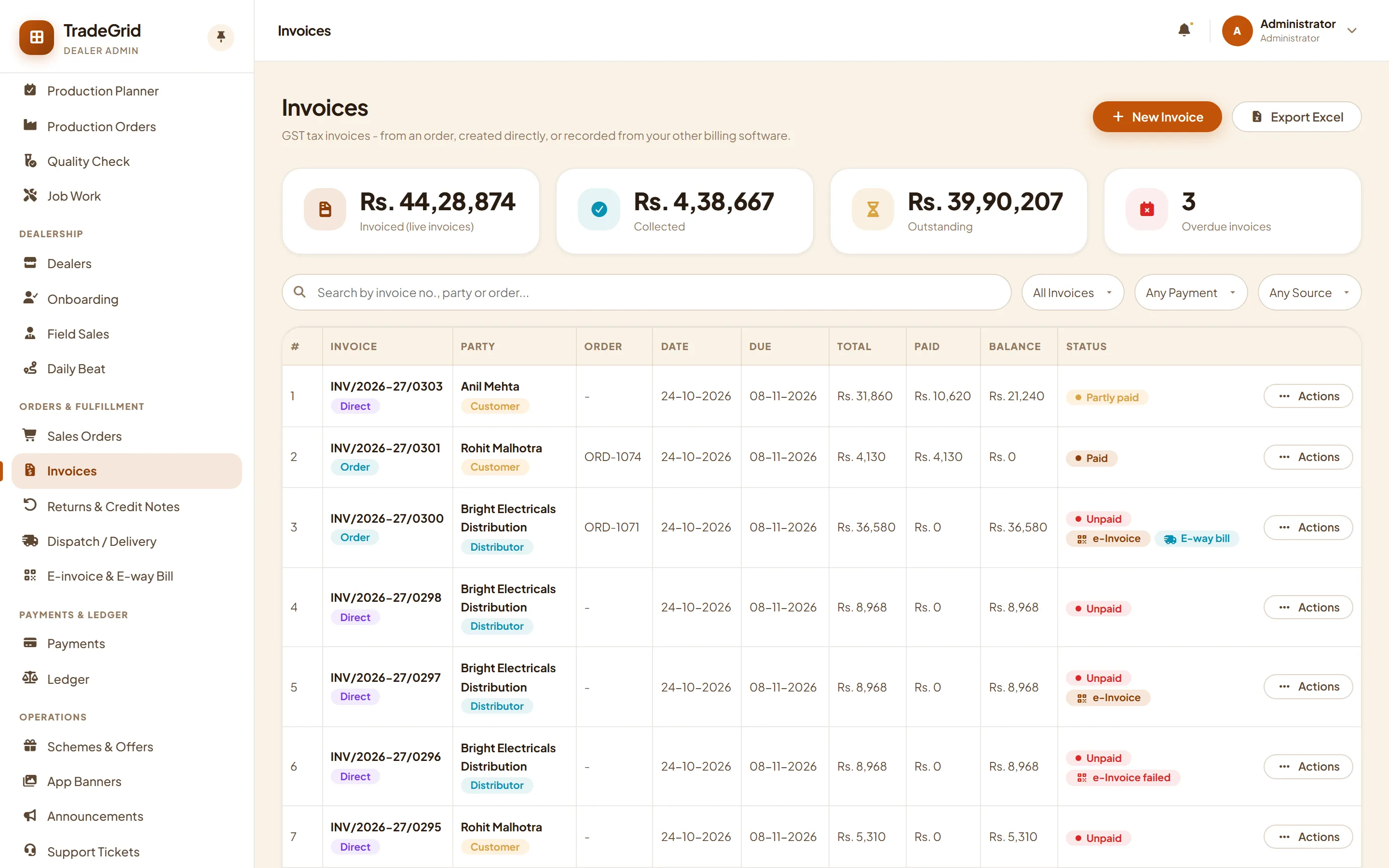
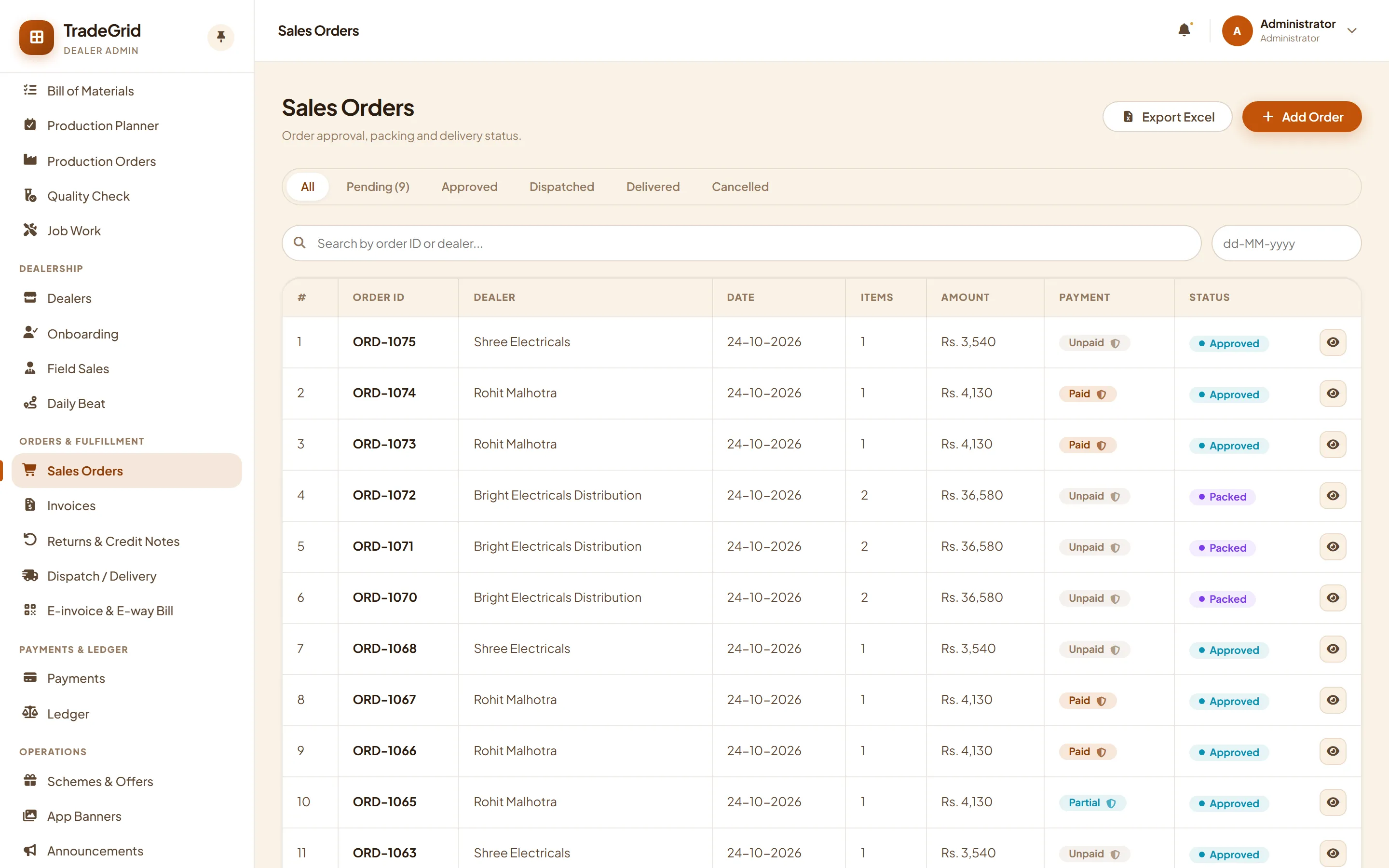
From a dealer's order to a GST invoice.
Orders arrive from the dealer portal, the mobile app, your field team or your own staff. Approve them, pack them and raise the invoice in one click.
- Order status trail from approved to packed, dispatched and delivered
- CGST and SGST or IGST worked out from the dealer's state, with round-off
- Stock leaves the godown you ship from, batch by batch, the moment the invoice is issued
- Returns become credit notes that settle the dealer's ledger
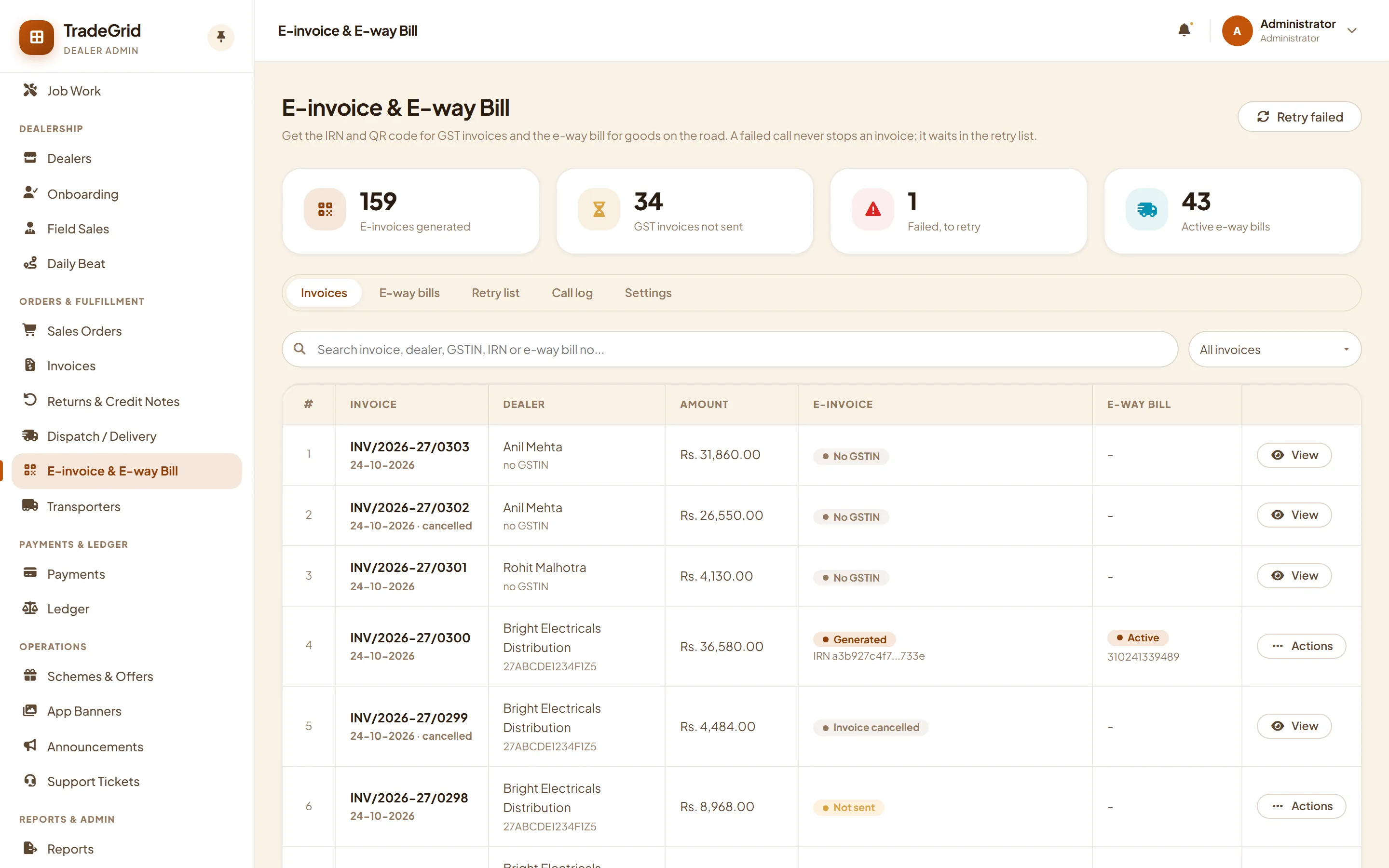
E-invoice and e-way bill without leaving the invoice.
Send an invoice to your GST provider from the invoice list, or let TradeGrid do it every time an invoice is issued. The IRN and QR code land on the PDF.
- A refused or failed call never blocks the invoice. It waits on a retry list with the provider's reason
- A lost answer is recovered: the retry asks the provider for the IRN it already holds
- E-way bill from the dispatch, with vehicle change and cancel inside the 24-hour window
- Every request and answer kept in a call log, with secrets masked
- A training mode for your team, and a real GST provider plugs in through one adapter
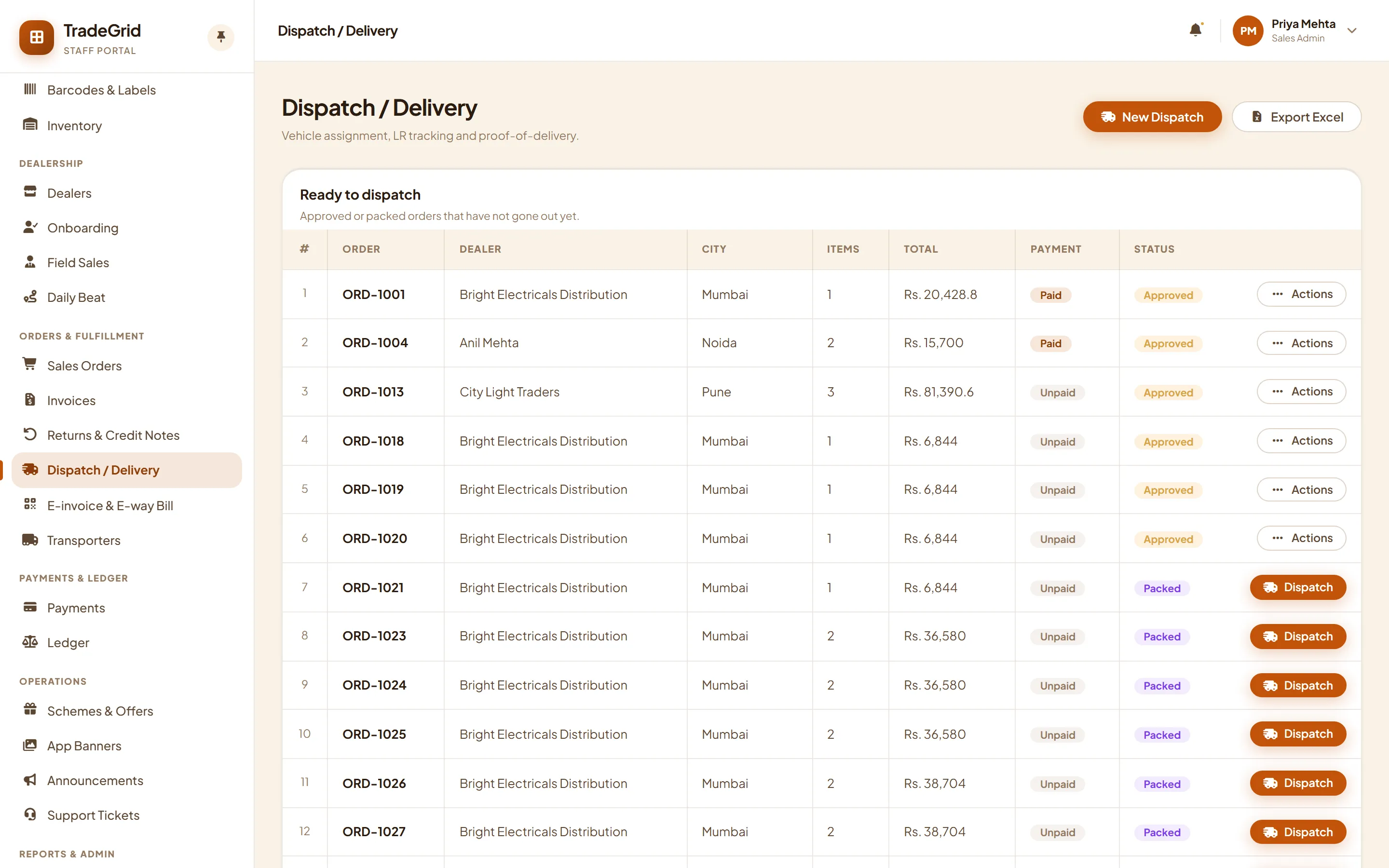
Trucks, transporters and packing lists.
Keep your transporters in one list. Pick one in the dispatch and its GSTIN becomes the transporter ID on the e-way bill.
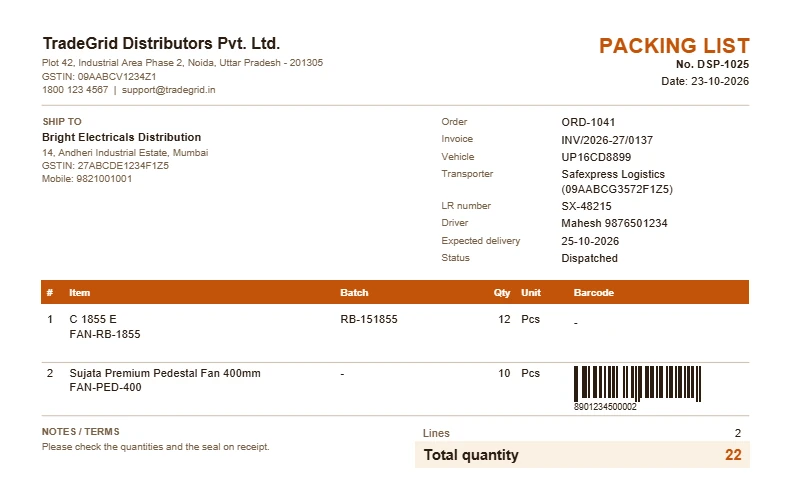
- Vehicle, driver, LR number, expected delivery and proof of delivery on every dispatch
- Packing list PDF with item, batch, quantity and a scannable barcode
- Dealers track their consignment live from the app
Stock you can trace to the batch.
Every godown, plant and store has its own stock. Batches carry manufacturing and expiry dates, and the oldest batch goes out first.
- Transfers between locations with short and damaged receipts
- Stock take with approval and low-stock alerts
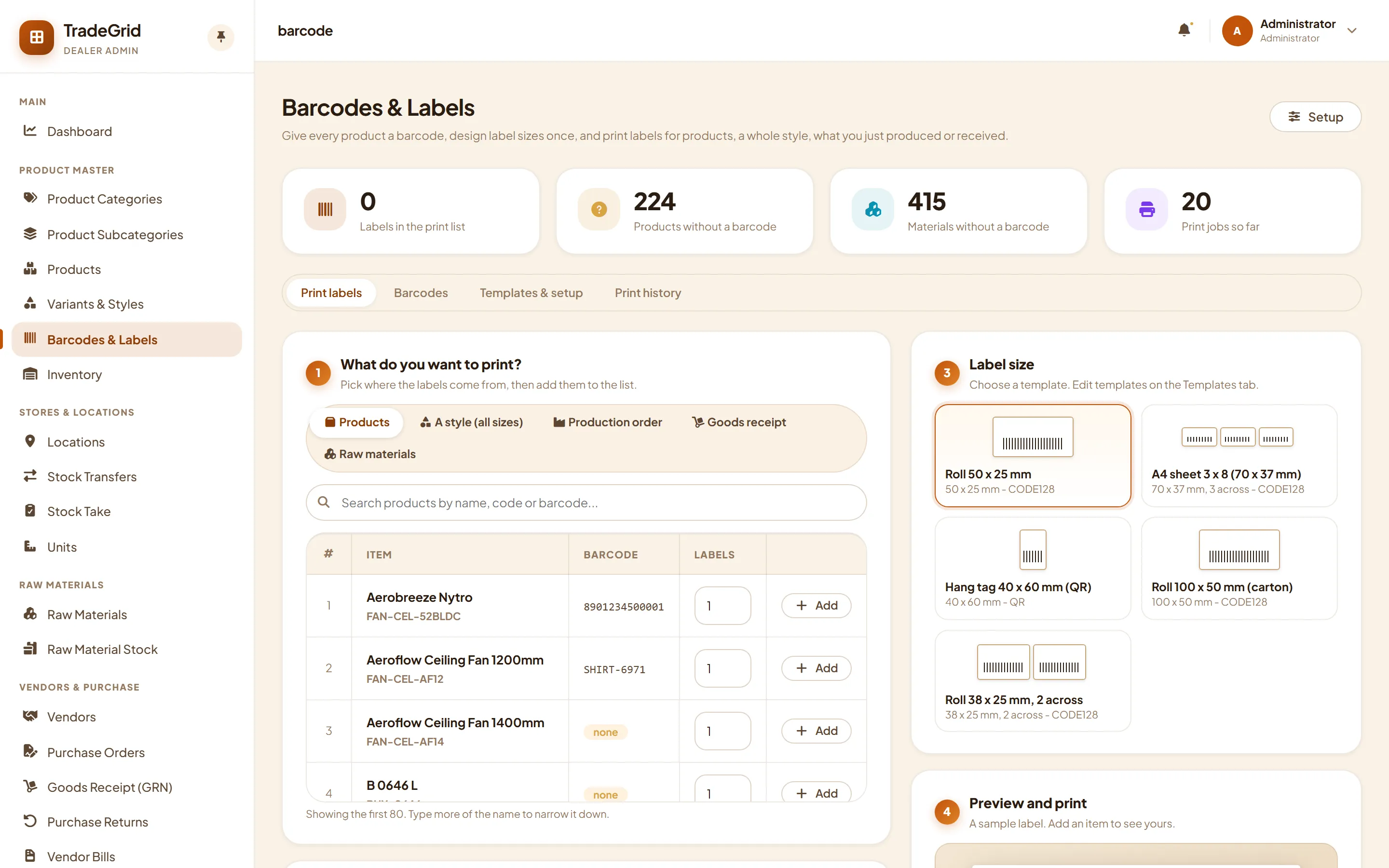
- EAN-13 barcodes generated for you, label templates for rolls, sheets and hang tags
- Trace a batch forward to the dealers and invoices that received it
Buy what the factory needs. Pay what you owe.
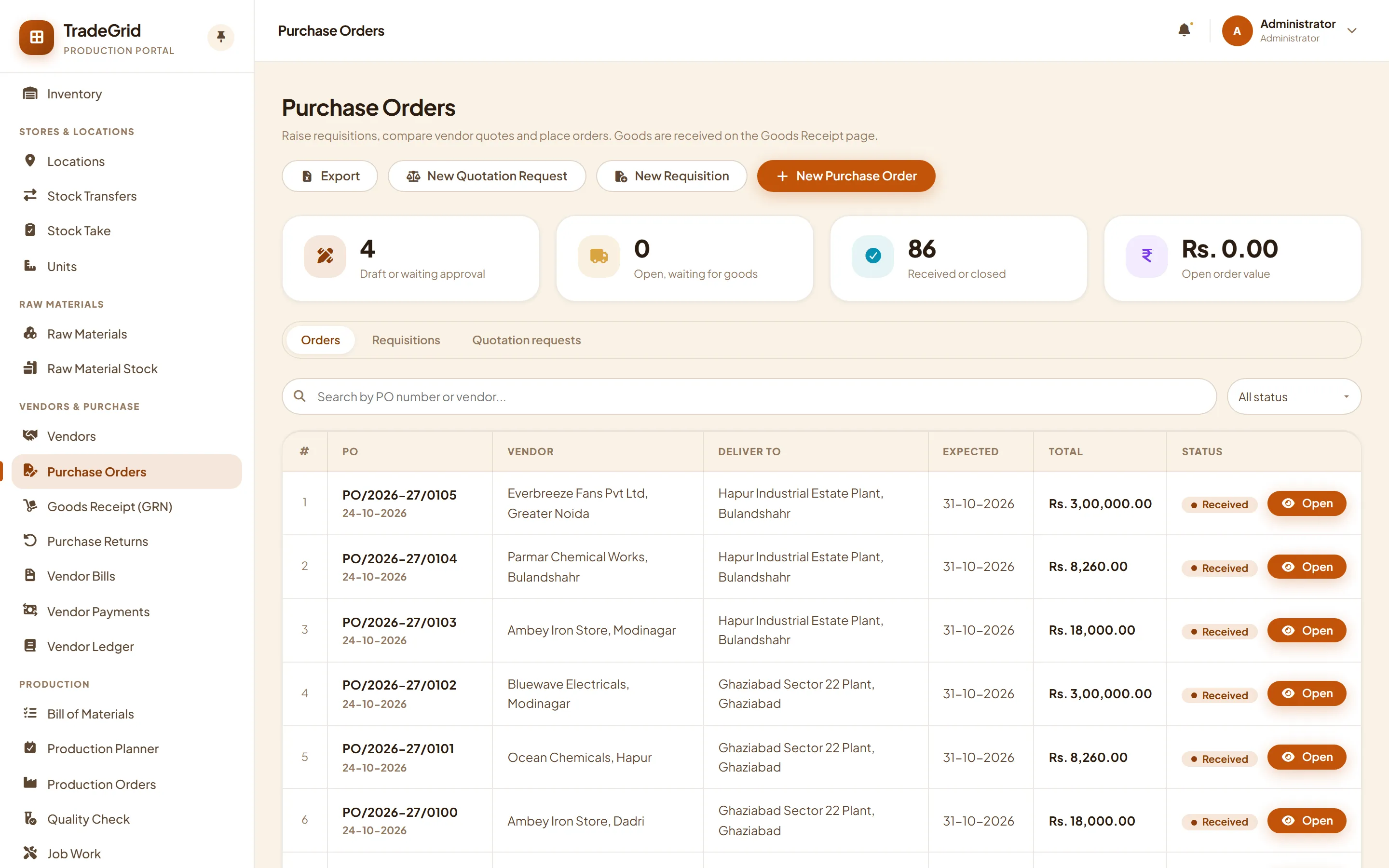
Raise a requisition from the planner's shortage list, compare vendor quotes and receive goods against the order.
- Requisition, quotation request and purchase order with approval limits and PDF
- Goods receipt with batch, expiry and quality hold
- Purchase returns with debit notes
- Vendor bills matched to order and receipt, with TDS and payables ageing
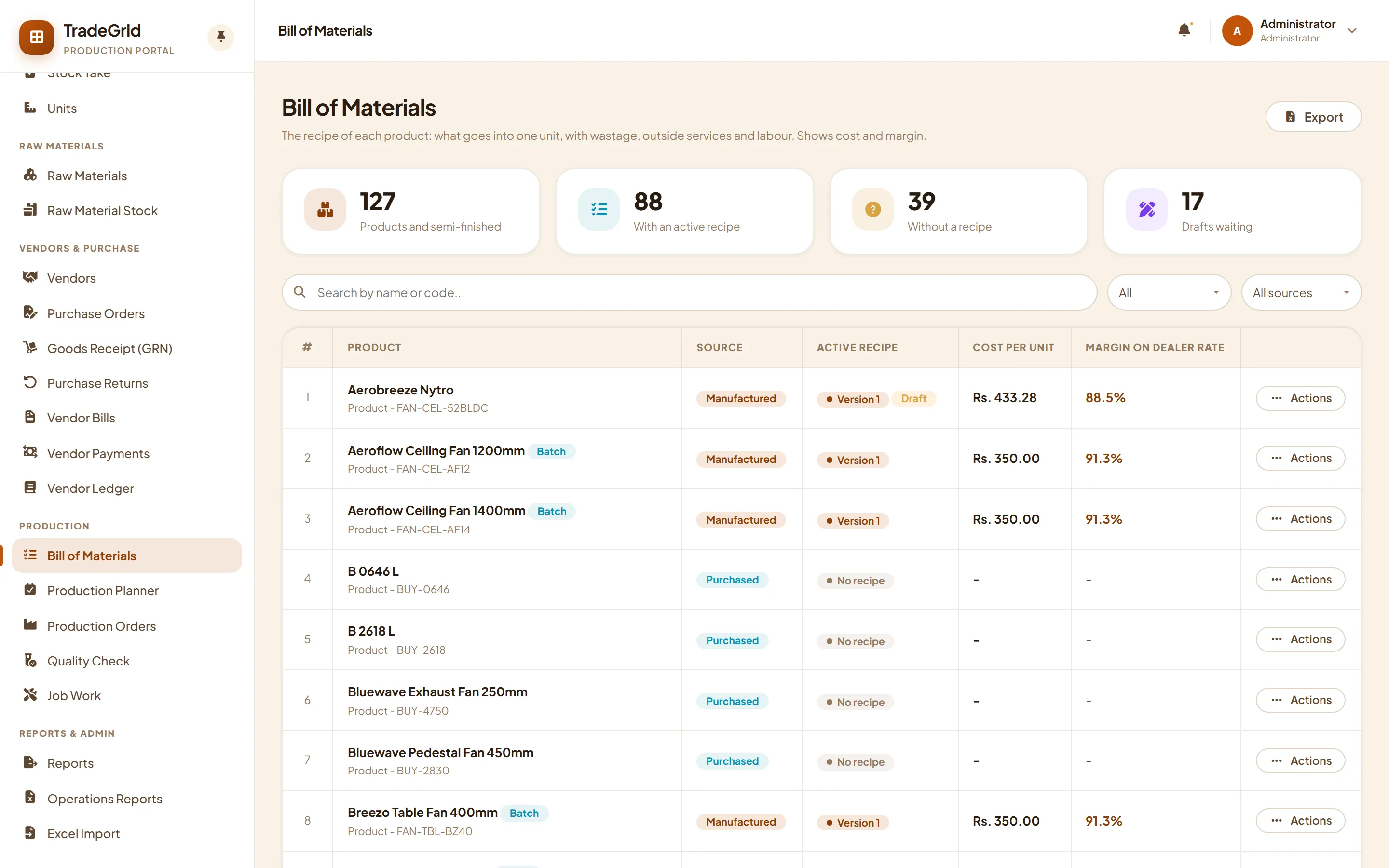
Make for stock. Know the cost of every unit.
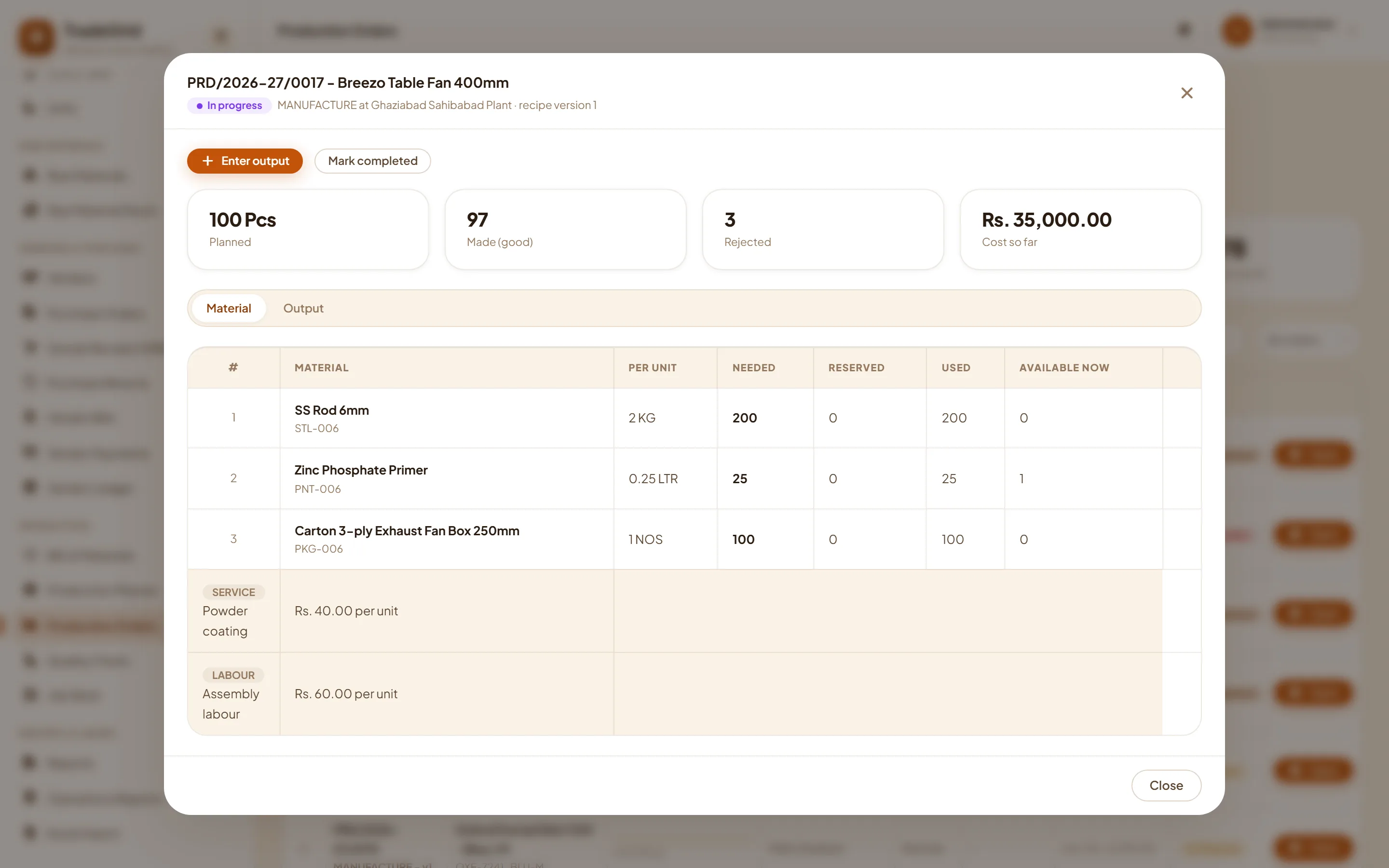
Write a recipe once. The planner shows what a run needs, what you hold and what is short, and production orders do the stock movements for you.
- Recipes with wastage, outside services and labour; cost and margin against dealer rates
- Raw material consumed oldest-first, finished goods land in stock with a batch number
- Quality checks, job work with challans and rebranding of bought-in goods
- A production portal, so the plant sees only plant work
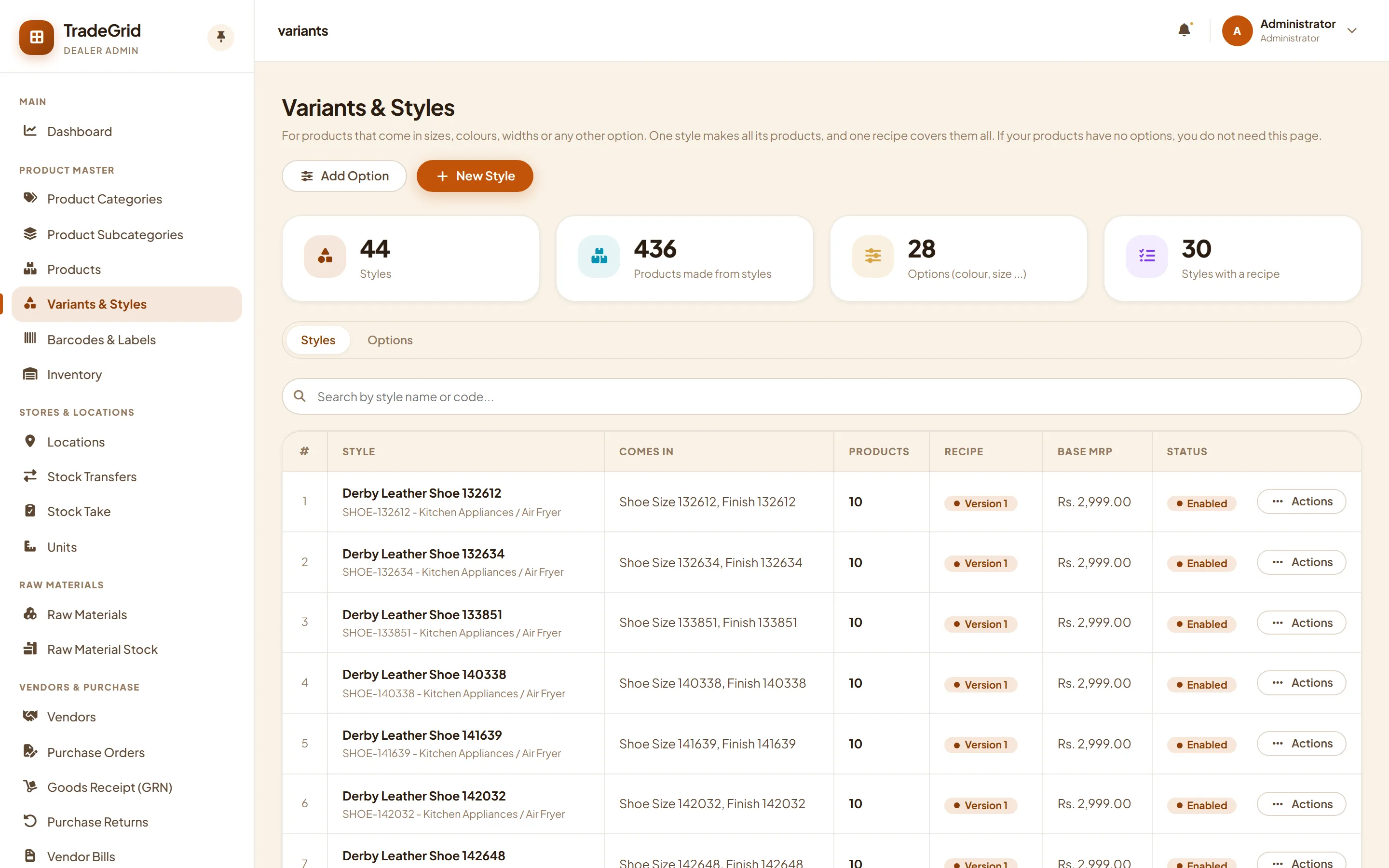
Sizes, colours and packs, without the mess.
A style can carry variants such as size, colour or pack. Each variant has its own barcode, stock and price, and dealers order them in a simple grid.
- Size groups and options defined once and reused
- Style recipes with rules, so production follows the style
- Order grid on the dealer portal and a run grid for production
- Excel import for options, styles and recipes
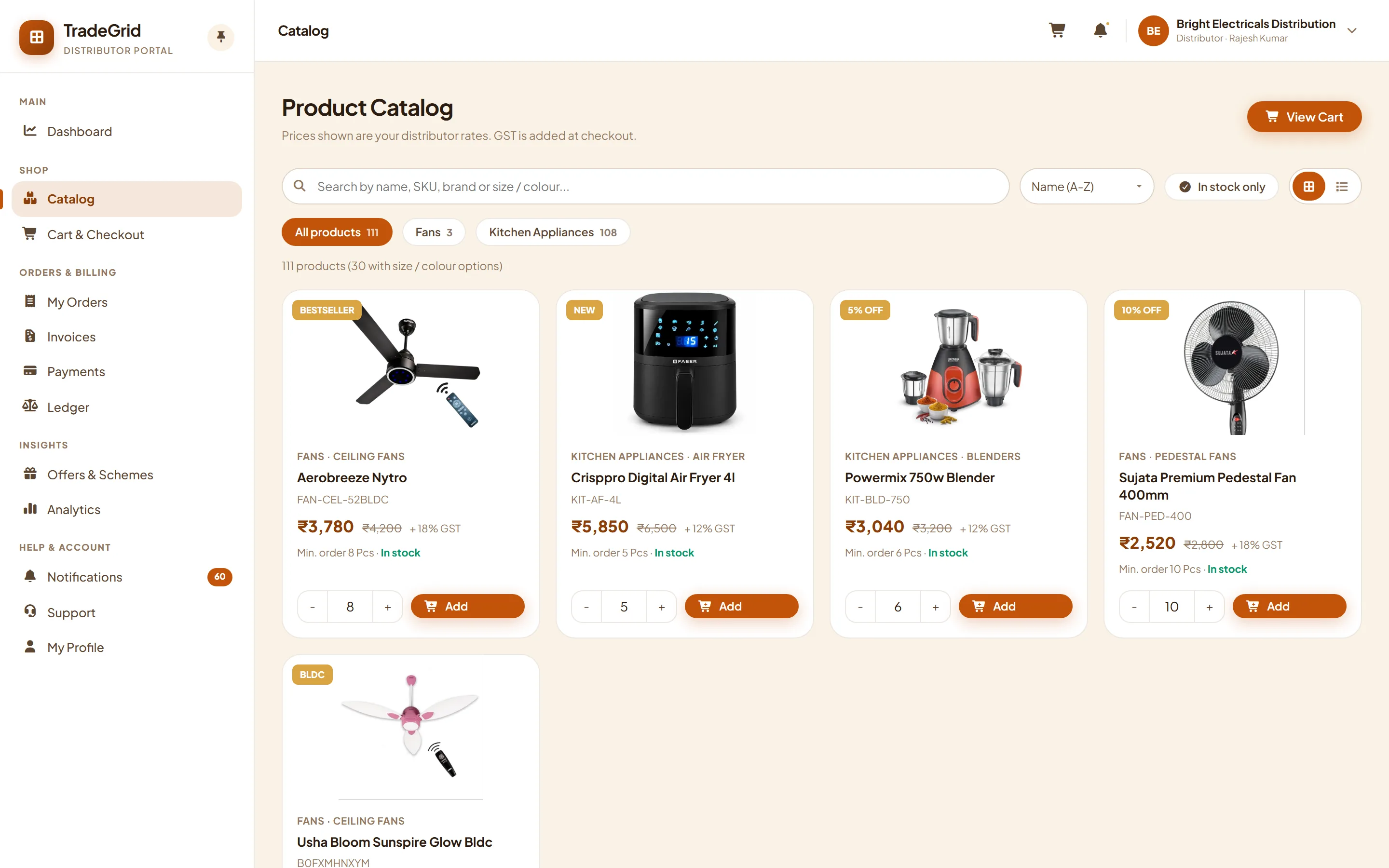
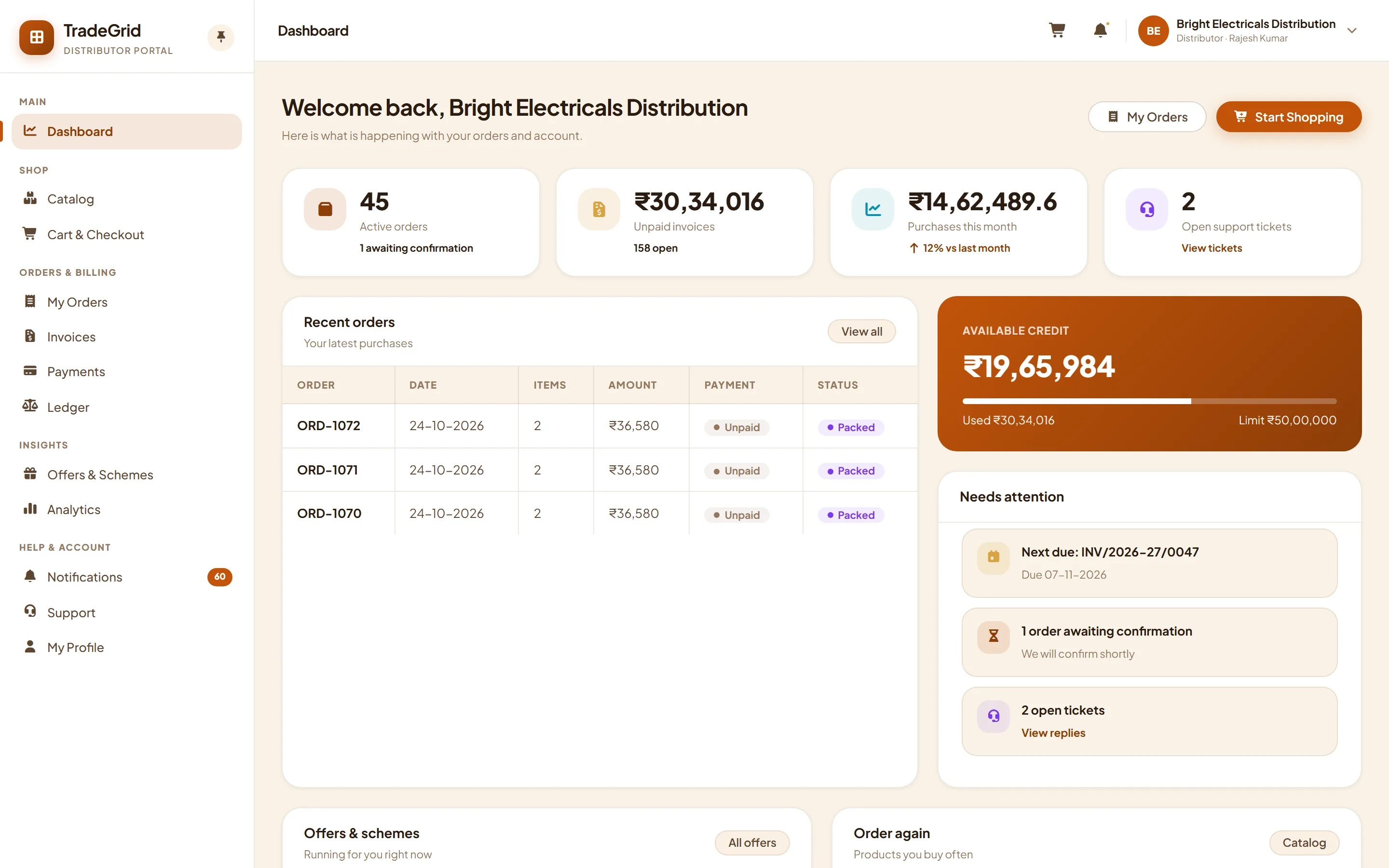
Every dealer gets a shop front. Every salesman, a beat.
Distributors, dealers and retail customers sign in with a one-time code and see their own rates, schemes, credit and invoices. Your field team books orders and collections at the shop.
- Catalog at the right rate for each type of buyer, with minimum order quantities
- Credit limit, ledger and payment due, with online payment on invoices
- Field sales: punch-in, daily beat, orders and collections at the shop
- Schemes, banners and announcements pushed to every app
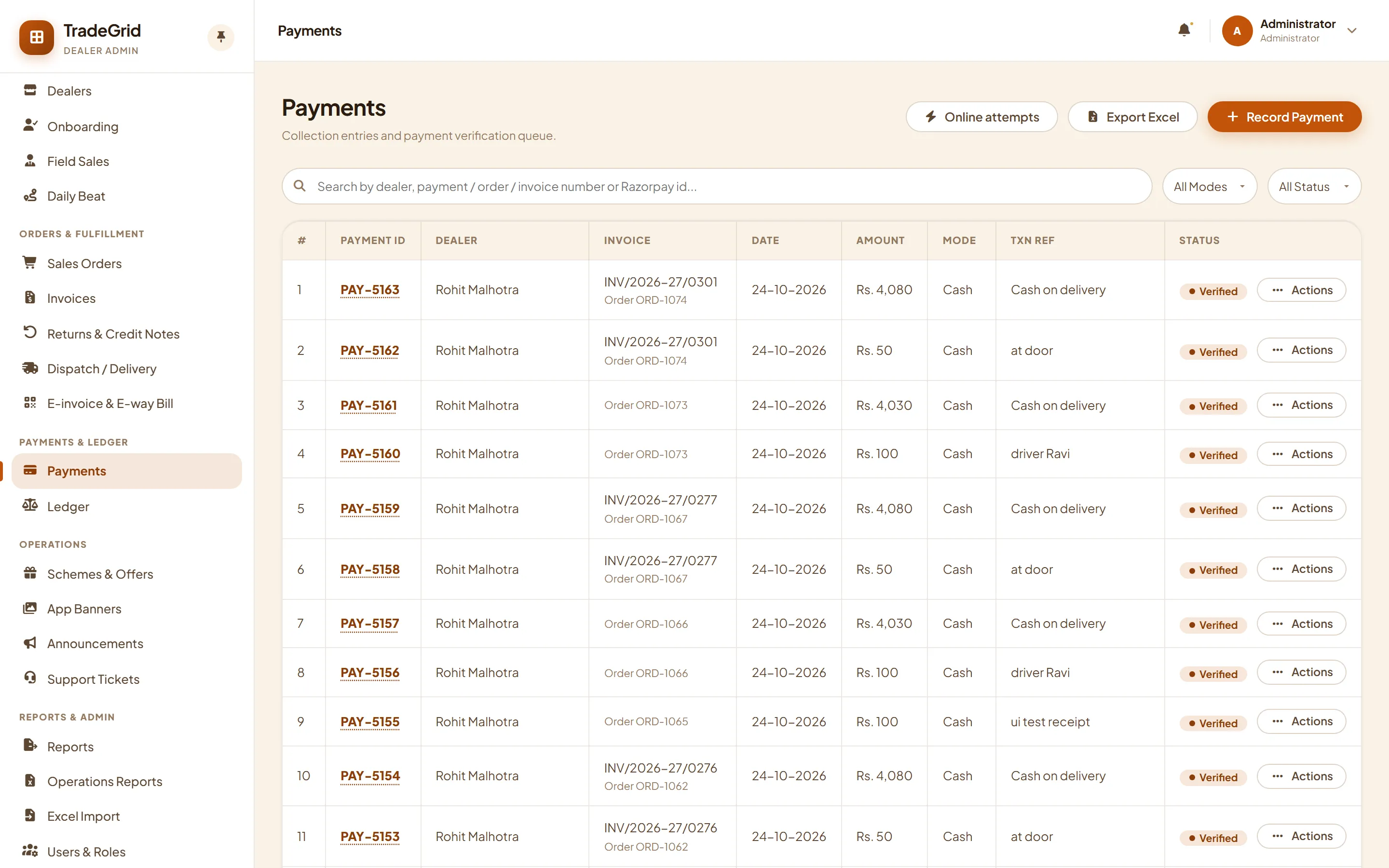
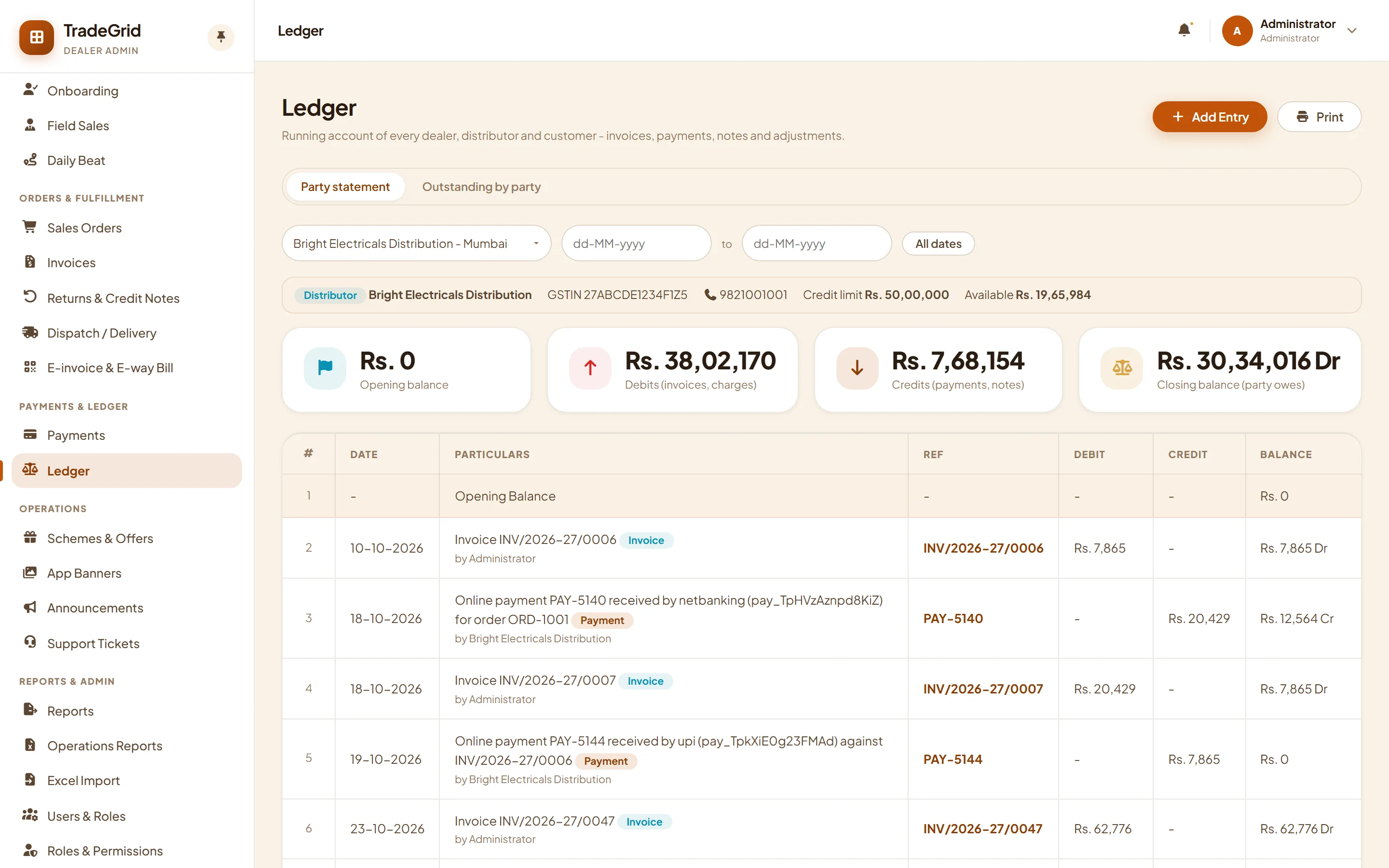
Payments, proof and a ledger that adds up.
Dealers pay online on the invoice or upload proof of an offline payment. Your accounts team verifies it, and the dealer's ledger and outstanding update instantly.
- Online payment on invoices through a payment gateway
- Offline payments with UTR and screenshot, verified before they post
- Party ledger with opening balance, outstanding by party and by age
- Cash on delivery: mark cash collected at the doorstep
Reports that answer the daily questions.
Sales by category, dealer or period, stock by godown and batch, reorder and expiry lists, payables ageing and outstanding. Every module adds its own reports to one Reports page.
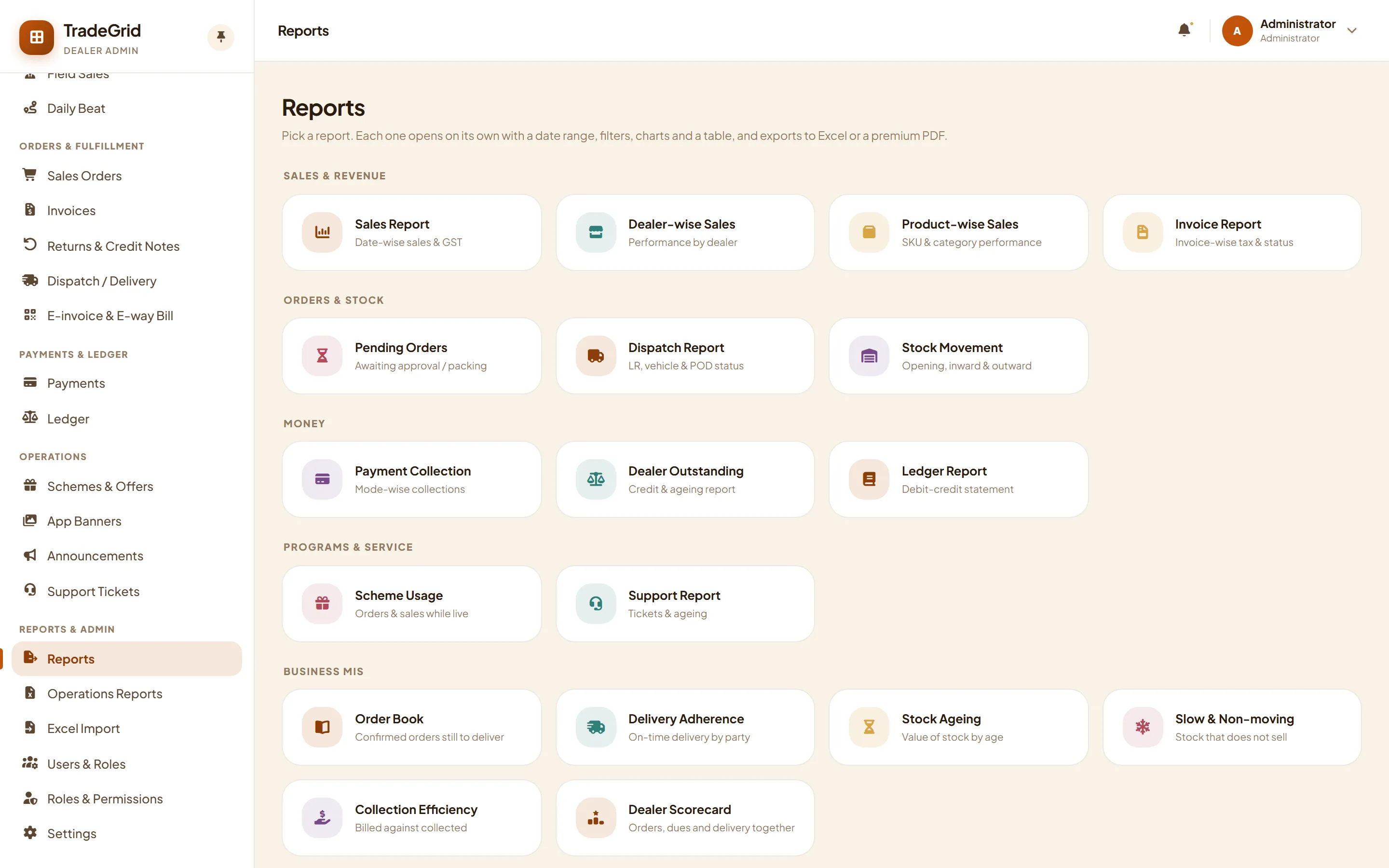
Category, dealer and period views with export to Excel.
Reorder, ageing and expiring batches by location.
Outstanding by party and by age, vendor payables and ITC-04 job-work.
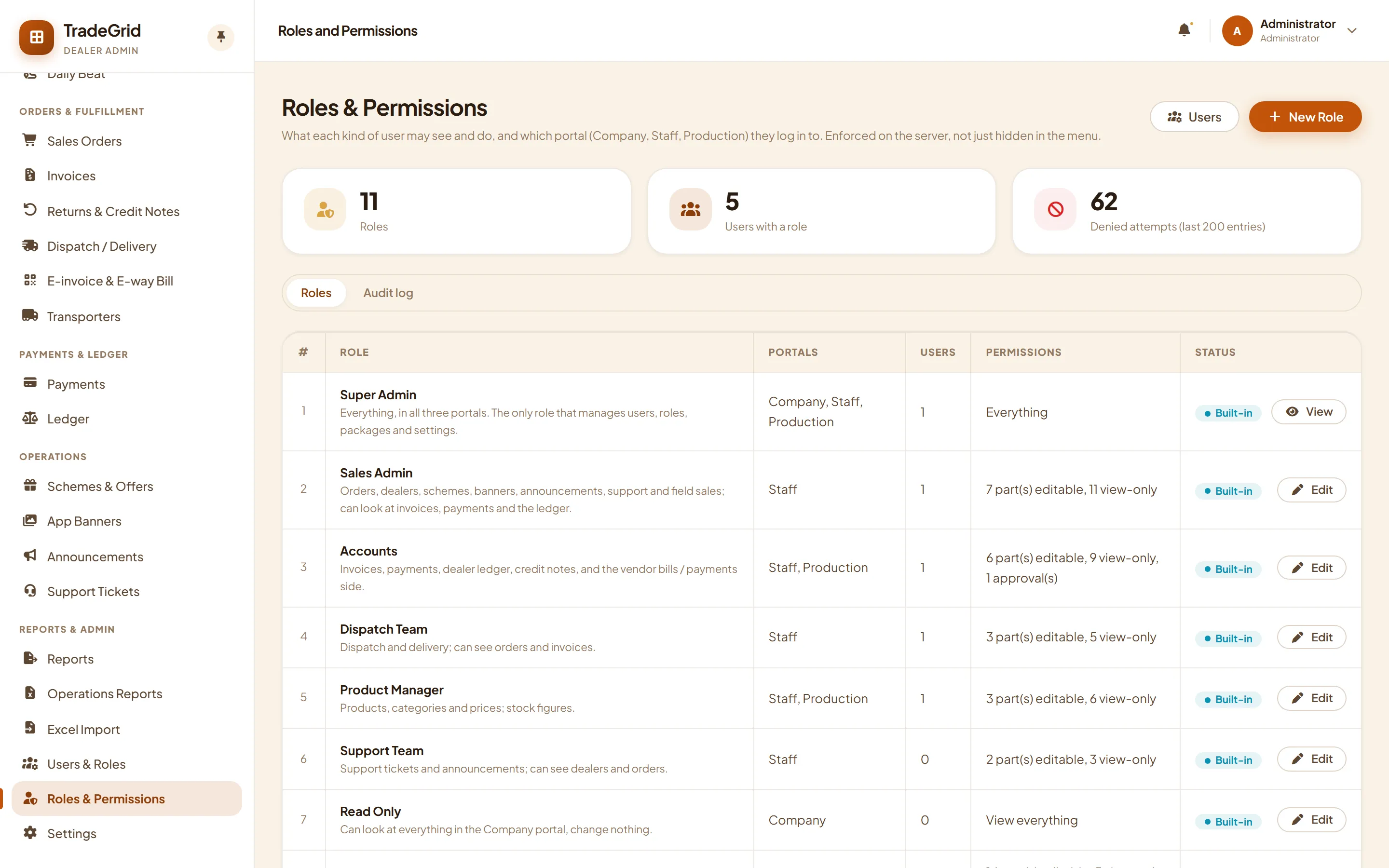
Roles, permissions and an audit trail.
Decide who can see and do what, screen by screen. Sign-in is by one-time code, so there are no shared passwords. Switch modules on or off as you grow.
- Built-in roles for sales, accounts, dispatch, support, plant, store, purchase and quality
- Custom roles with permission by screen and portal access
- One-time code login for staff, dealers and customers
- Modules you have not taken stay out of the menu and cannot be opened
See it with your own products.
Tell us how your network works and we will run the demo on your own catalog, dealer types and paperwork.