Platform Packages Portals Mobile apps Contact Book a demo
Packages and modules

Take the packages you need.

TradeGrid is built in packages that each stand on their own. Start with sales orders, add billing, stock, purchase and manufacturing when you are ready, and bring your dealers and field team onto their own apps. A feature you have not taken stays out of the menu, and your data is never touched.

Packages snapping together around one TradeGrid core: orders, billing, field sales, stock, procurement, manufacturing and the dealer and field sales apps
Eight packages

What each package gives you.

Every package lists the modules inside it. Take one, or take several: a package that pairs with another says so, and you can add more at any time.

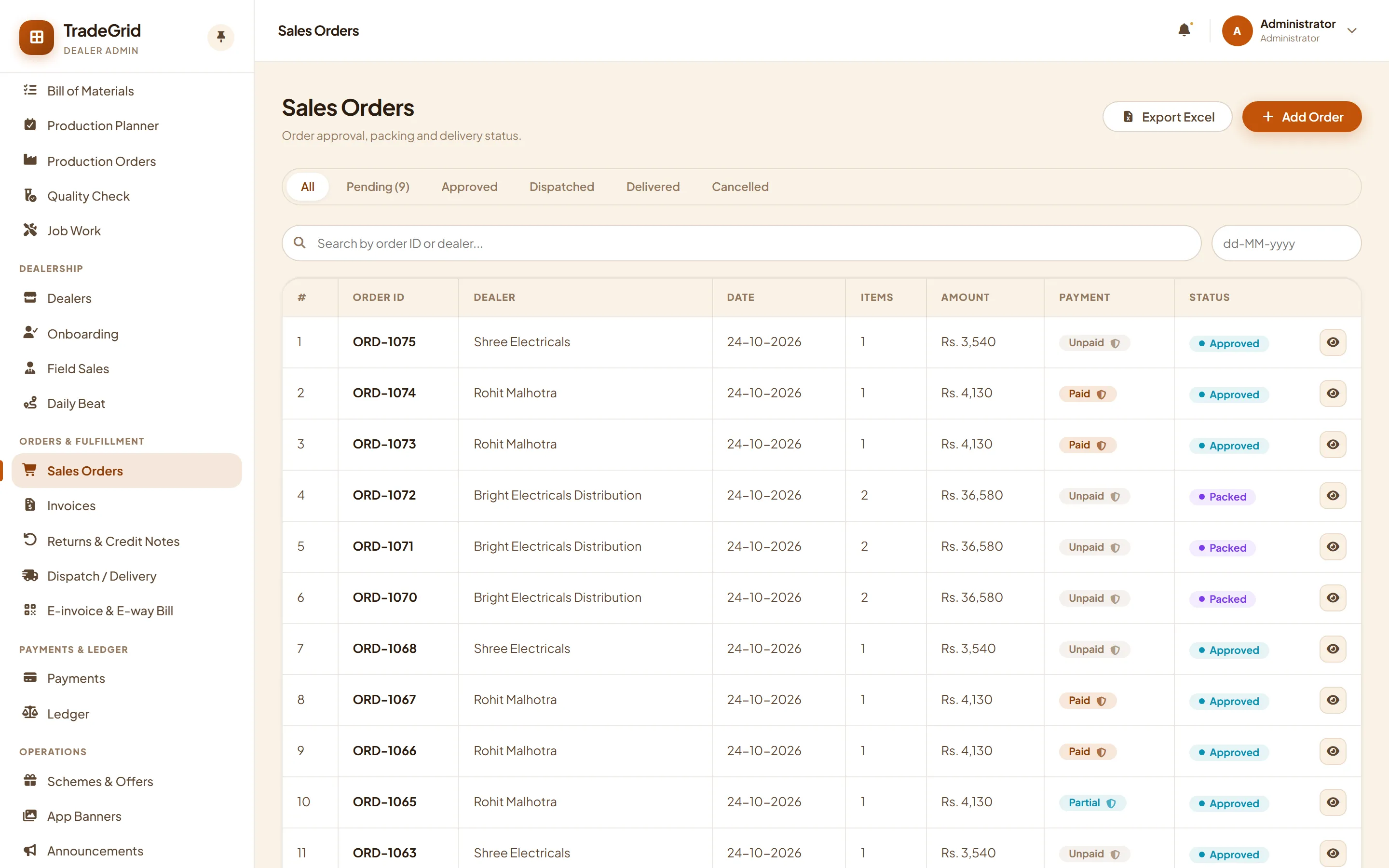
Sales orders list in the admin panel

Starter

Sales orders

The base of every set-up: your catalog, your dealers and the orders they place, with offers and support on top.

  • Products and categoriesCategories, sub-categories and products with images, GST, minimum order quantity and a separate rate for each type of buyer.
  • Dealers and onboardingDistributors, dealers and retail customers with credit limits, price lists and an approval step for new sign-ups.
  • Sales ordersOrders from the dealer portal, the mobile app, your field team or your own staff, with an approved, packed, dispatched and delivered trail.
  • Schemes and offersPercent and slab offers that show on the dealer's catalog and app.
  • App banners and announcementsShow banners and notices in every dealer app from one screen.
  • Support ticketsDealers raise a ticket, your team replies, and the whole thread stays in one place.
  • Reports, Excel export and importDownload any list to Excel and bring products, dealers and prices in with a spreadsheet.
Base package
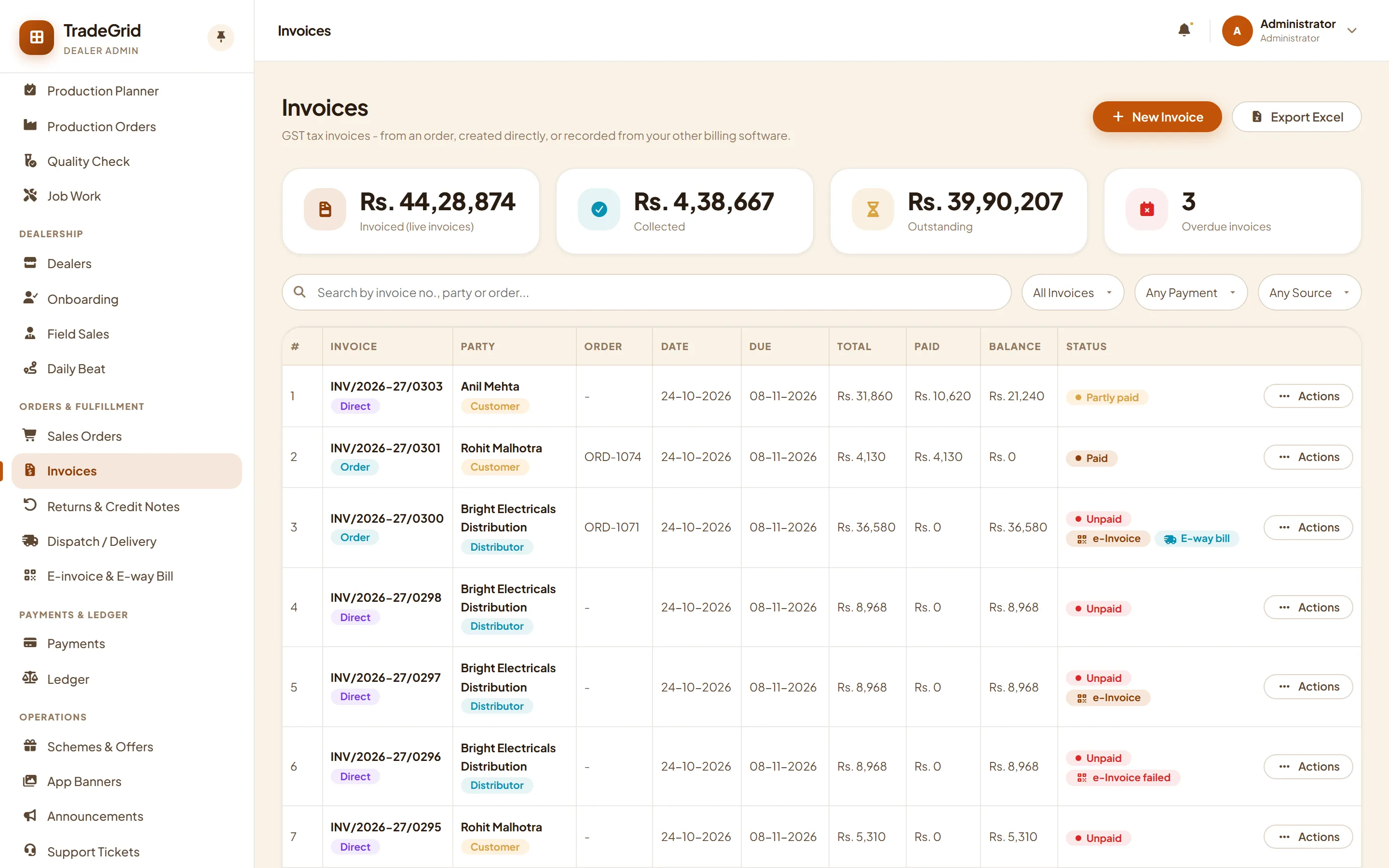
Invoice list with payment status

Billing

Orders and invoicing

Turn an approved order into a GST invoice in one click, send it out, and collect the money against the dealer's ledger.

  • StockStock leaves the godown you ship from, batch by batch, the moment the invoice is issued.
  • GST invoices, returns and credit notesCGST and SGST or IGST worked out from the dealer's state, with round-off and a PDF. Returns become credit notes.
  • Dispatch and deliveryVehicle, driver, LR number, expected delivery and proof of delivery, with a packing list PDF.
  • PaymentsRecord payments against invoices, or let dealers pay online.
  • Dealer ledgerEvery invoice, payment and note in one running account, with outstanding by age.
Pairs with Starter
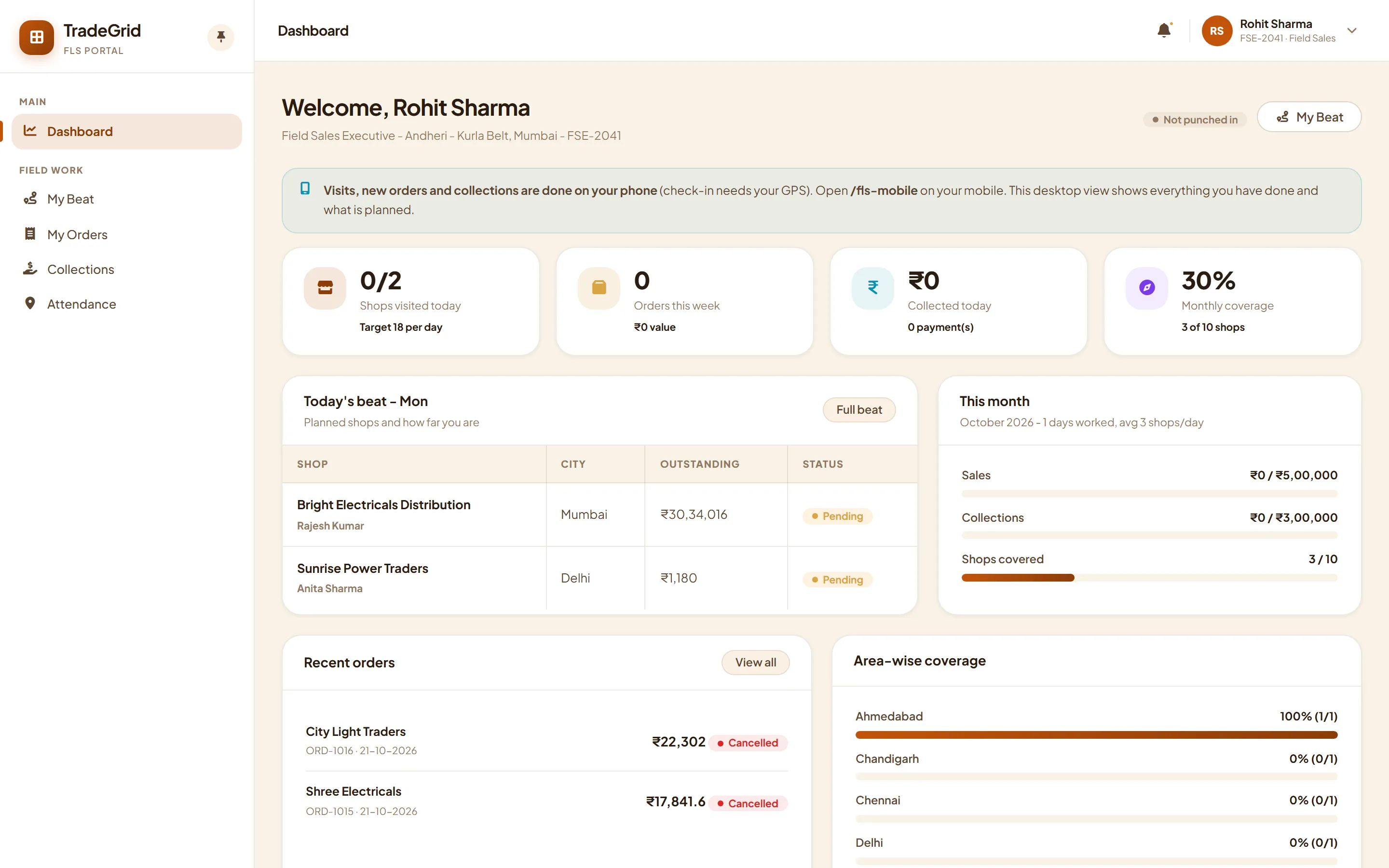
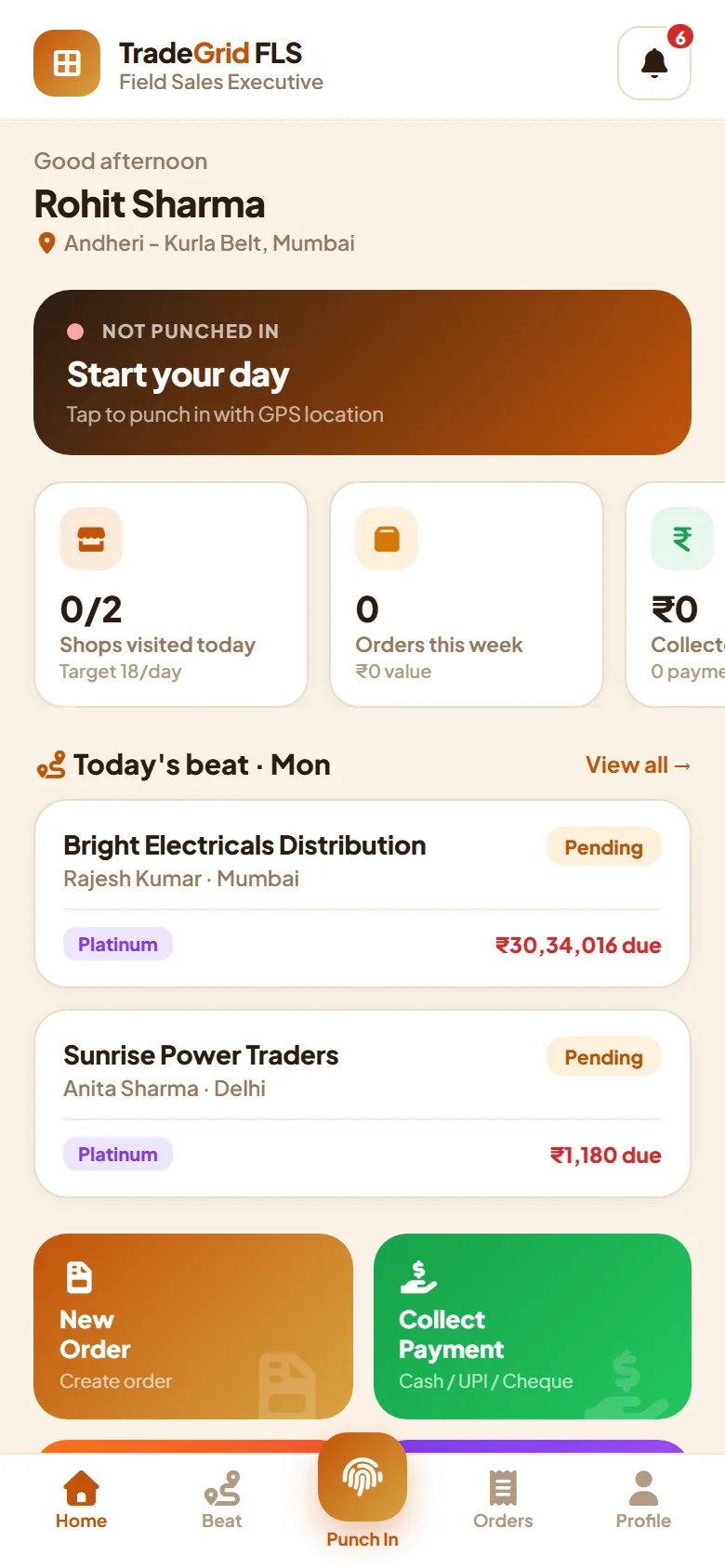
Field sales dashboard on the desktopField sales app home on the phone

Field sales

Beats and visits

Plan the day for your sales executives, see who was visited, and watch orders and collections come in from the shop.

  • Field sales teamExecutives and managers with their own sign-in and the dealers they cover.
  • Beats and visitsA daily beat of shops to visit, in order, with attendance and what happened at each visit.
  • Orders and collectionsOrders booked and money collected at the shop, tied back to the dealer's ledger.
  • Manager coverage viewWhich areas and shops were covered, and where the gaps are.
Pairs with Starter
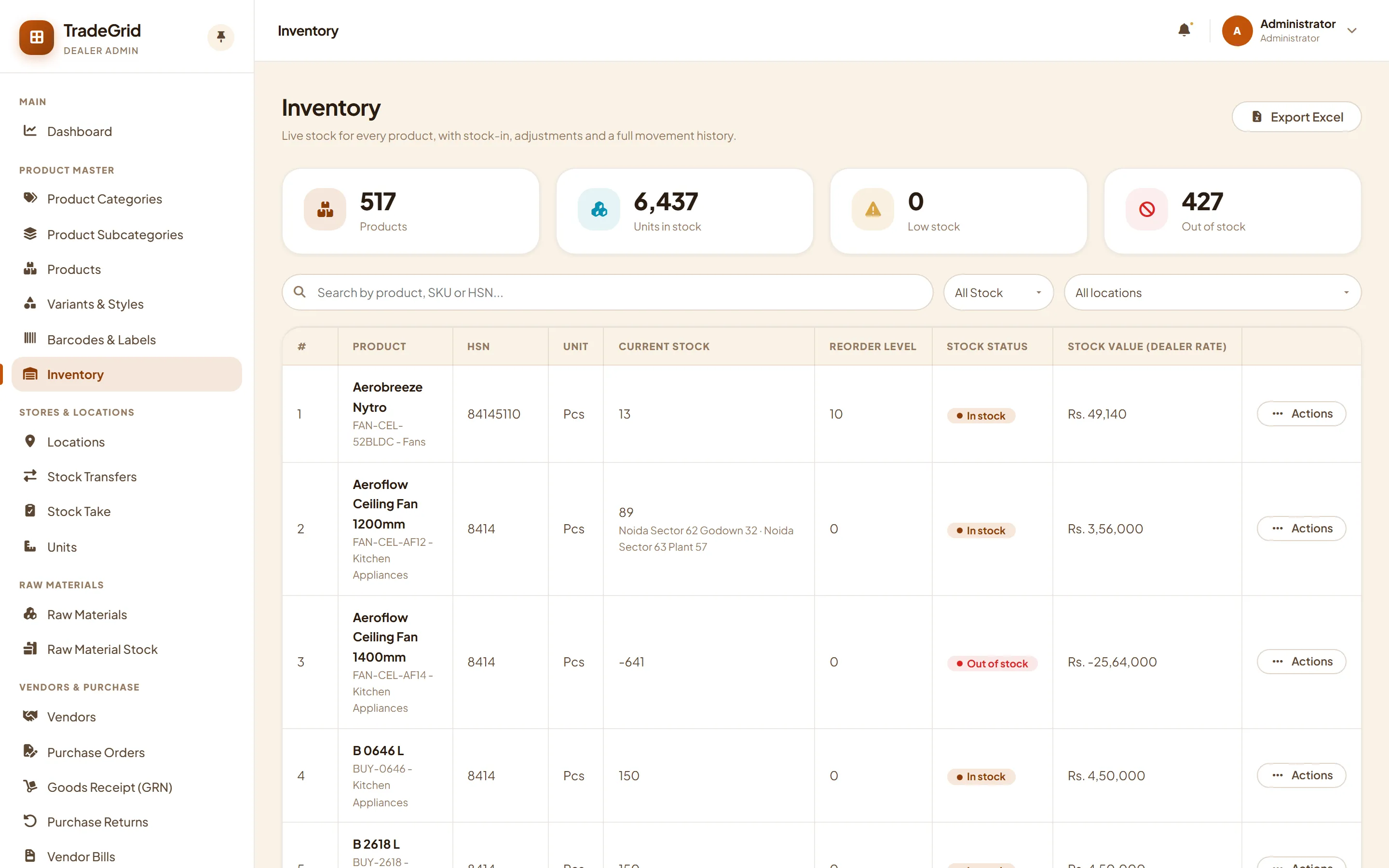
Inventory by godown and batch

Stock and locations

Godowns, plants and stores

Every godown, plant and store holds its own stock, with batches and expiry, and a clean record of everything that moves.

  • Godowns, plants and unitsSet up each location and the units you count in.
  • Stock transfersMove stock between locations, with short and damaged receipts recorded at the other end.
  • Stock takeCount a location, review the differences and approve the adjustment.
Pairs with Billing
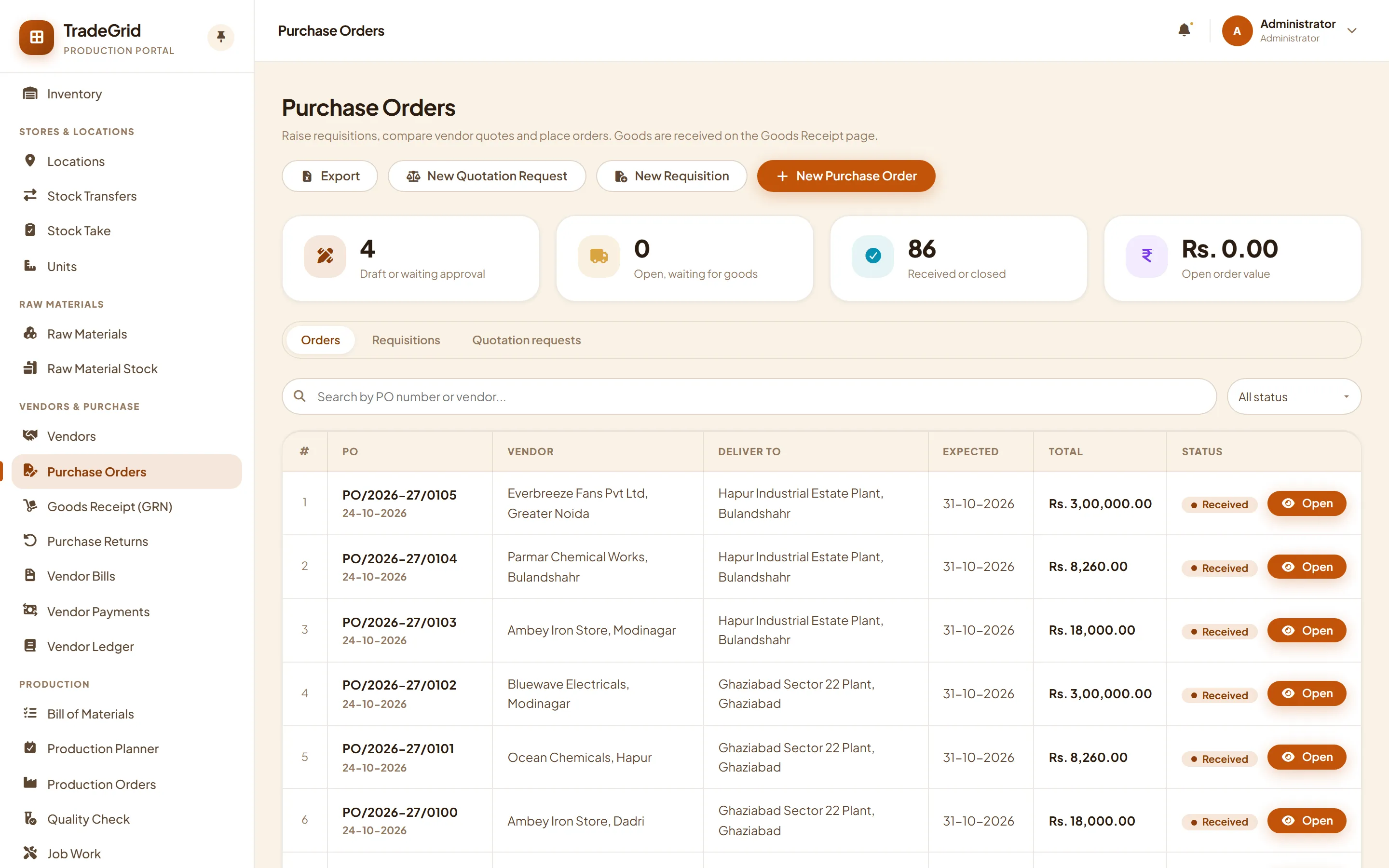
Purchase orders in the production portal

Procurement

Buy what the factory needs

Raise a requisition from the planner's shortage list, compare vendor quotes, receive goods and pay what you owe.

  • Raw materials and stockYour raw material master and what you hold of each, by location and batch.
  • VendorsVendor master, with a preferred vendor for each material.
  • Purchase orders and returnsRequisition, quotation request and purchase order with approval limits and a PDF. Returns raise debit notes.
  • Goods receiptReceive against the order with batch, expiry and a quality hold.
  • Vendor bills, payments and ledgerBills matched against order and receipt, TDS, payables ageing, and a ledger for every vendor.
Pairs with Stock and locations
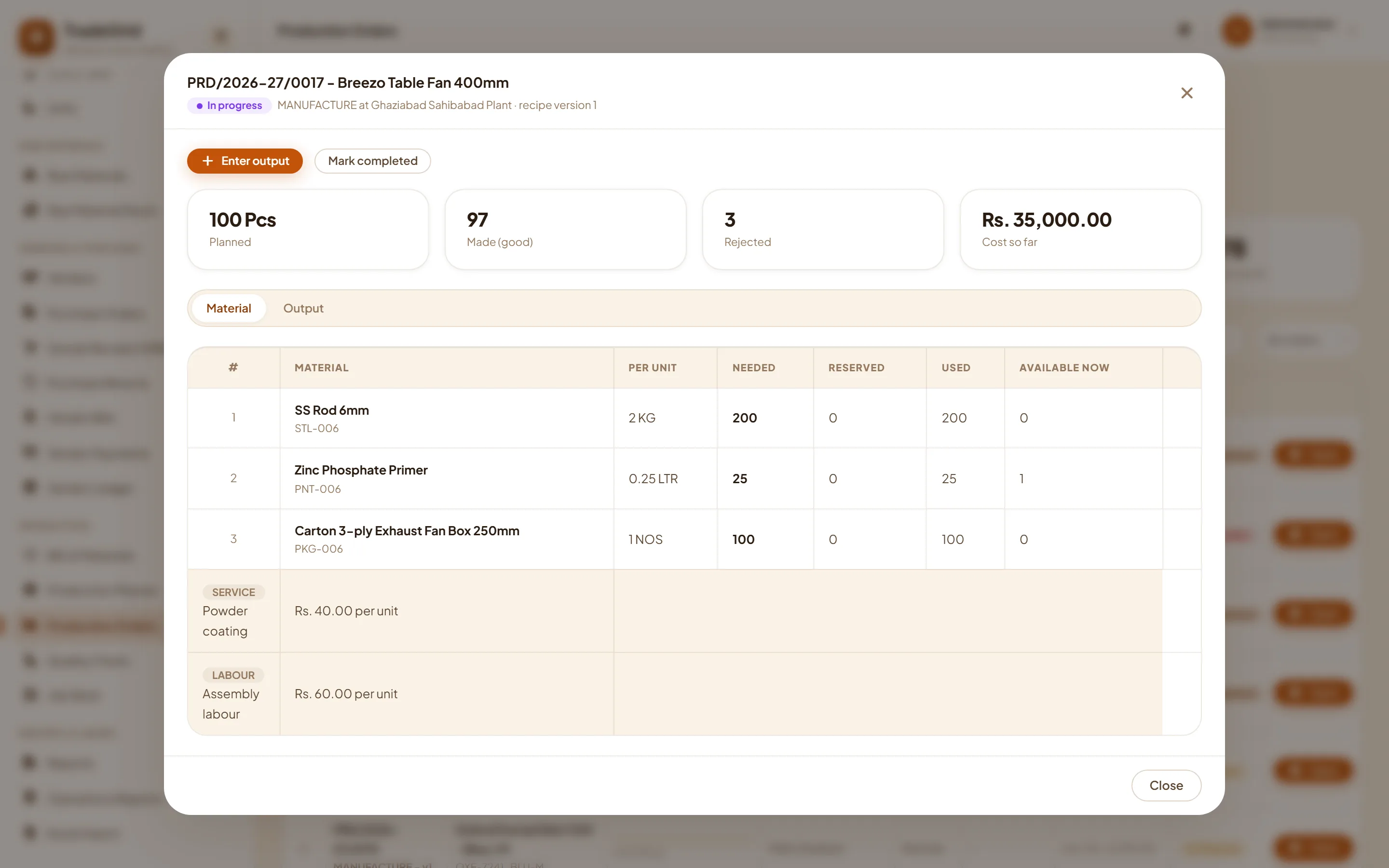
A production order with the material it uses

Manufacturing

Make for stock, know the cost

Write a recipe once. The planner shows what a run needs, what you hold and what is short, and production orders do the stock movements for you.

  • Recipes (bill of materials)Materials with wastage, outside services and labour, with cost and margin against dealer rates.
  • Production plannerEnter what you want to make and see material needed, in stock and short.
  • Production ordersRaw material is consumed oldest-first and finished goods land in stock with a batch number.
  • Quality checkInspect output and hold or reject what fails.
  • Job workSend material out to a job-worker with a challan and take the finished goods back.
  • Rebrand and repackPut your own brand and pack on bought-in goods.
Pairs with Procurement
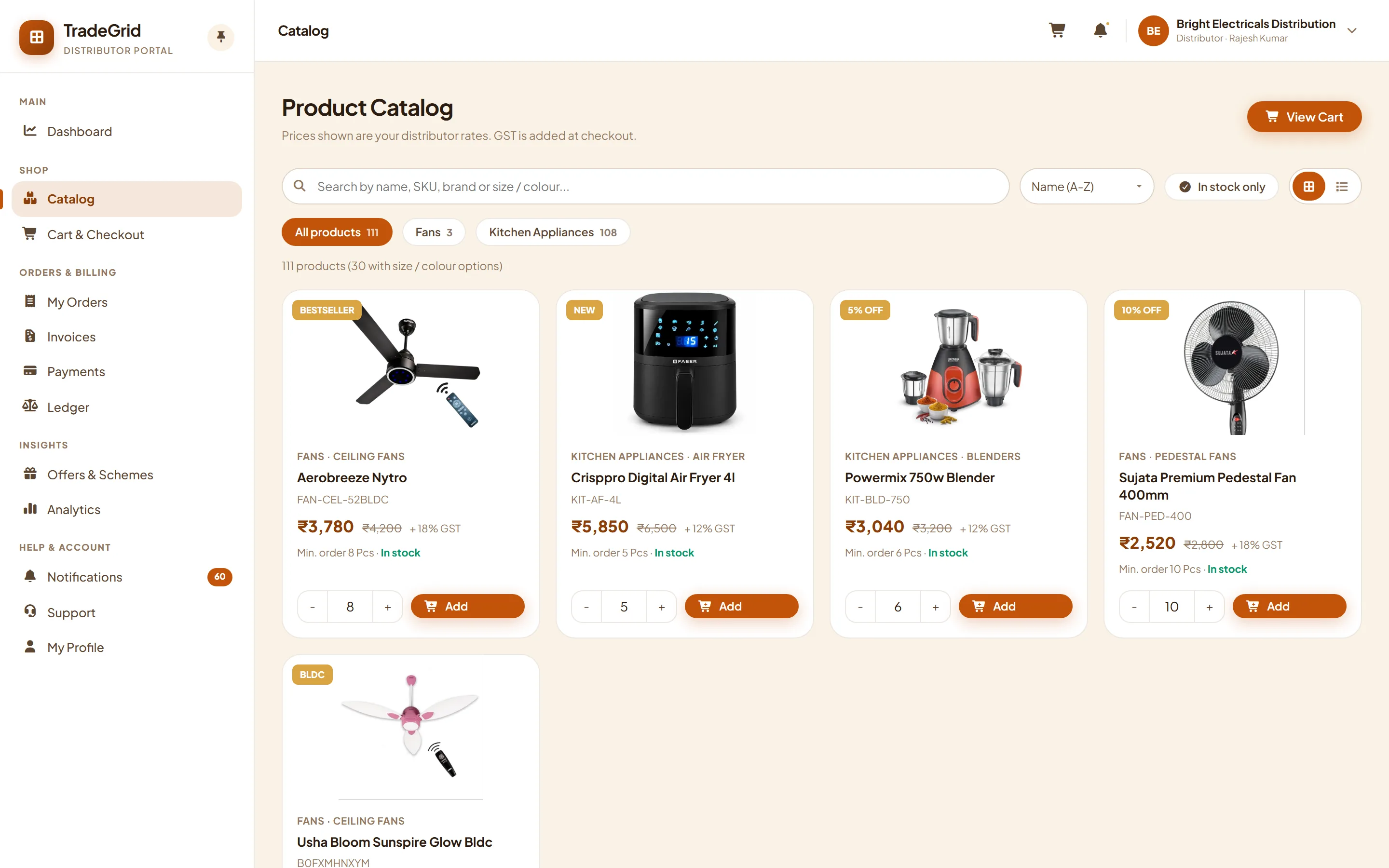
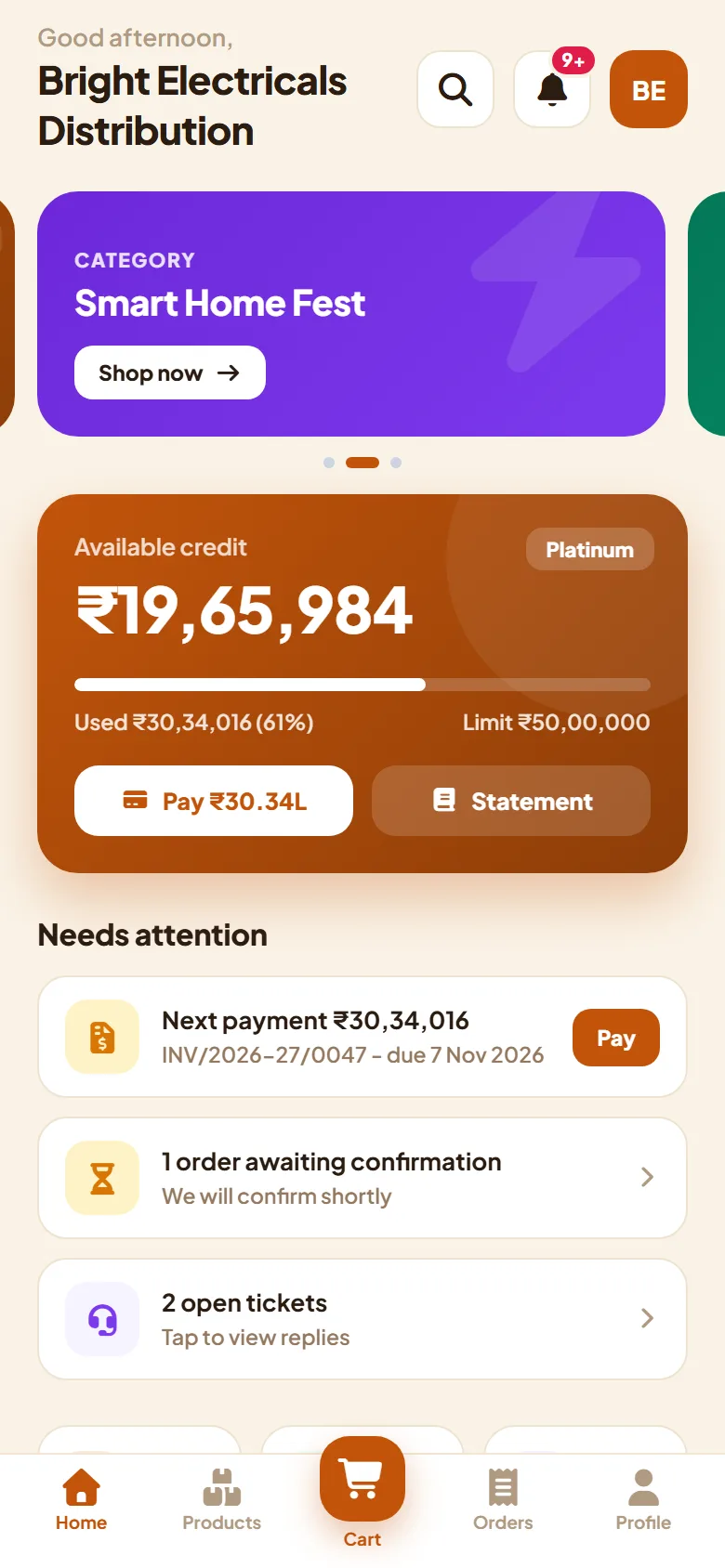
Dealer portal catalog on the desktopDealer app home on the phone

Dealer app

Portal and mobile site

Every distributor, dealer and retail customer gets a shop front on the web and on the phone, signing in with a one-time code.

  • Catalog and cartProducts at the right rate for each type of buyer, with minimum order quantities and order tracking.
  • Orders and invoicesPlace, repeat and follow orders, and download invoices as PDF.
  • Credit, ledger and paymentsCredit limit, ledger, payment due and online payment on invoices.
  • Offers and noticesSchemes, banners, announcements and support tickets from the same app.
Pairs with Starter
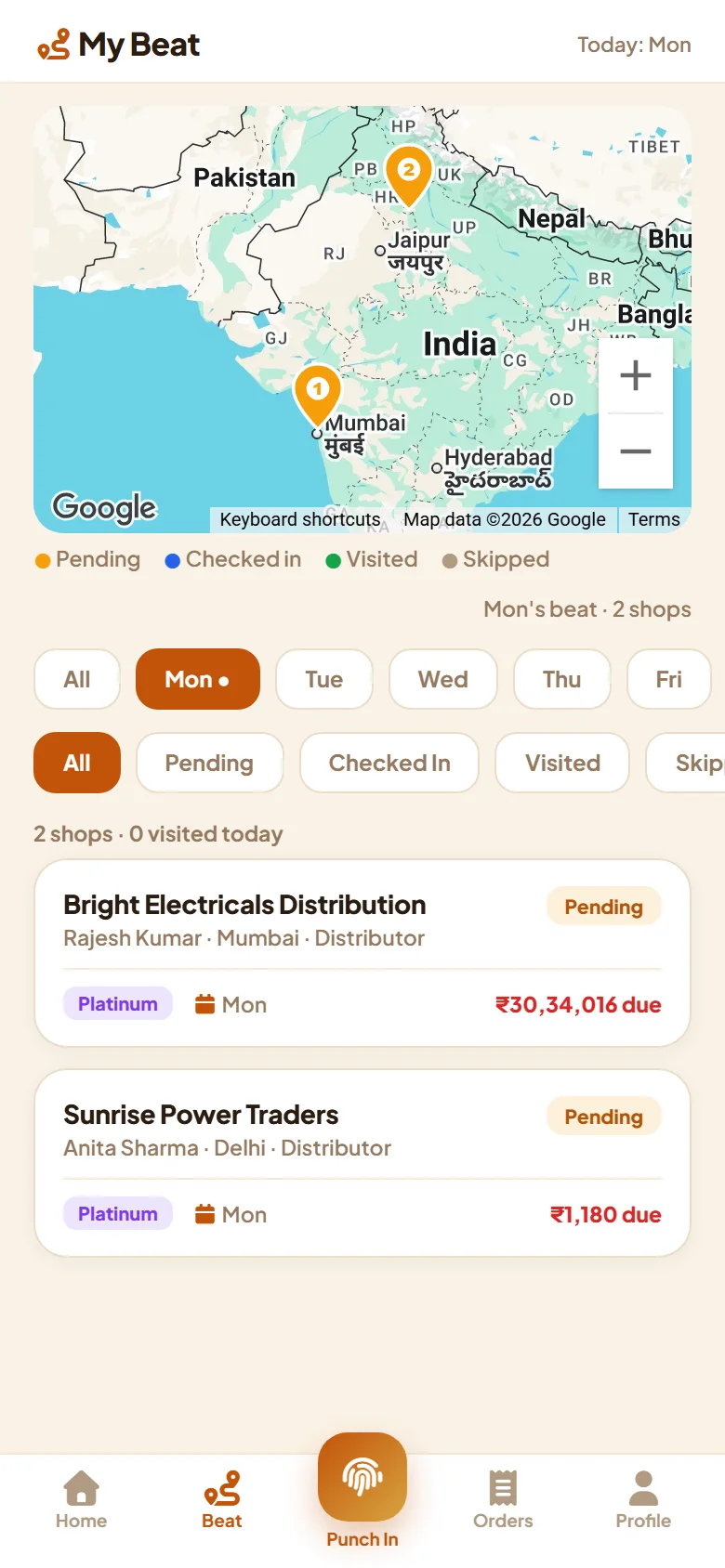
Field sales app: start the dayField sales app: today's beat on the mapField sales app: orders

Field sales app

On the executive's phone

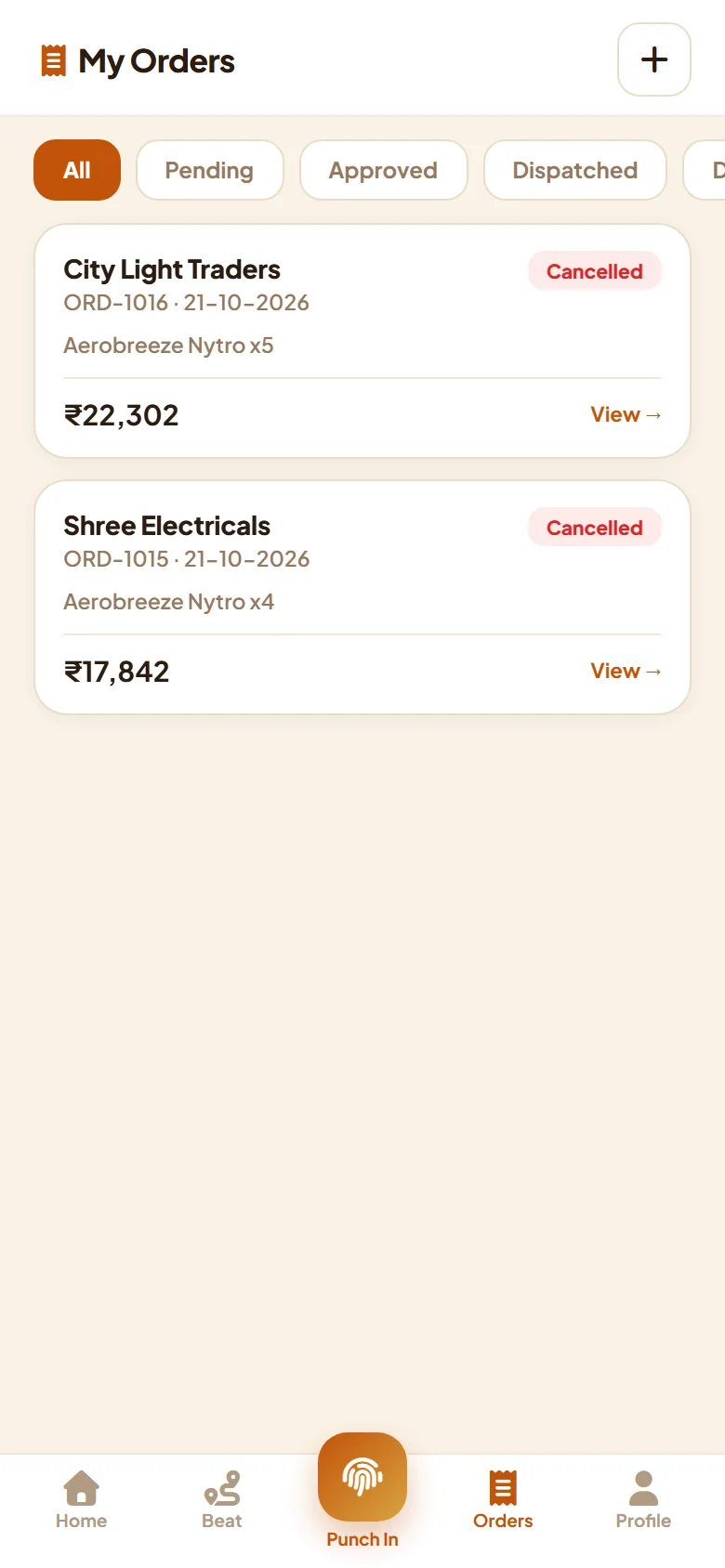
The field sales package, in the salesman's pocket. It needs no install: add it to the home screen and it works like an app.

  • Punch-in and daily beatStart the day with attendance and the shops to visit.
  • Catalog and ordersTake an order at the shop from the dealer's own price list.
  • CollectionsRecord the money collected, shop by shop.
Pairs with Field sales
How they combine

Build up one step at a time.

Each package pairs with the one before it. Start at Starter and follow a line as far as you need.

Everything

Complete.

All eight packages in one, from the factory floor to the shop counter: one login, one ledger, one set of stock. Add-ons are chosen on top, whichever way you start.

Starter Billing Field sales Stock and locations Procurement Manufacturing Dealer app Field sales app
Add-ons

Single features you can add on top.

Add-ons sit on top of any package and are chosen one by one.

Variants

Colour, size or any attribute. Sizes and colours become variants of one style, each with its own barcode and stock, with style recipes and a run grid for production.

Barcodes and labels

EAN-13 barcodes made for you, label templates for rolls, sheets and hang tags, and a scannable barcode on packing lists.

E-invoice and e-way bill

The IRN and QR code on the invoice PDF, sent from the invoice list or on every issue. A failed call waits on a retry list, and the e-way bill comes from the dispatch.

Transporter master

Name, GSTIN, mobile and usage for every transporter. Pick one in the dispatch and its GSTIN becomes the transporter ID on the e-way bill.

Business MIS reports

Management reports across the packages you have, on one Reports page: sales, stock, purchase and production, ready to export to Excel.

Which fits you

A few common starting points.

These are examples, not rules. Take the packages that match how you work today.

Distributor selling to dealers

Take orders from dealers, raise GST invoices, track payments and keep the ledger straight.

StarterBillingDealer app

Distributor with several godowns

The same, with stock held in each location, transfers between them and a stock take.

StarterBillingStock and locationsDealer app

Manufacturer selling through dealers

Plan production against demand, buy what is short, make for stock and ship to your network.

StarterBillingStock and locationsProcurementManufacturingDealer app

Sales team in the field

Plan the beat, book orders at the shop and collect money on the spot.

StarterField salesField sales app
Questions

Good to know.

Can I take just one package?

Yes. Every package stands on its own. Some pair with another one, and the card says which, so you know what to take together.

Can I add more later?

Yes. Switch on a package or an add-on whenever you grow. Your data stays exactly as it is.

What about features I have not taken?

They are not in the menu and cannot be opened, so your team only sees what you use. Your data is never touched.

How do I get a quote?

Tell us which packages interest you and how your network works. We will reply within one working day with a quote and set up a live demo on your own products and paperwork.

Not sure which fits?

Tell us how your network works today and we will map the packages to it.

Call us WhatsApp us